
§ · iPhone Duo · Version 1.0.26
BiteDeck,built for iPhone Duo.
iPhone Duo is Apple's foldable iPhone: a narrow outer display when it's closed, a wide inner display when it opens like a book. BiteDeck 1.0.26 lays out for both. Open, the deck keeps its phone proportions in the middle of the inner display. Closed, it fits the outer display. Half open, Quick Add moves out of the fold.
§ 01 · Open: the inner display
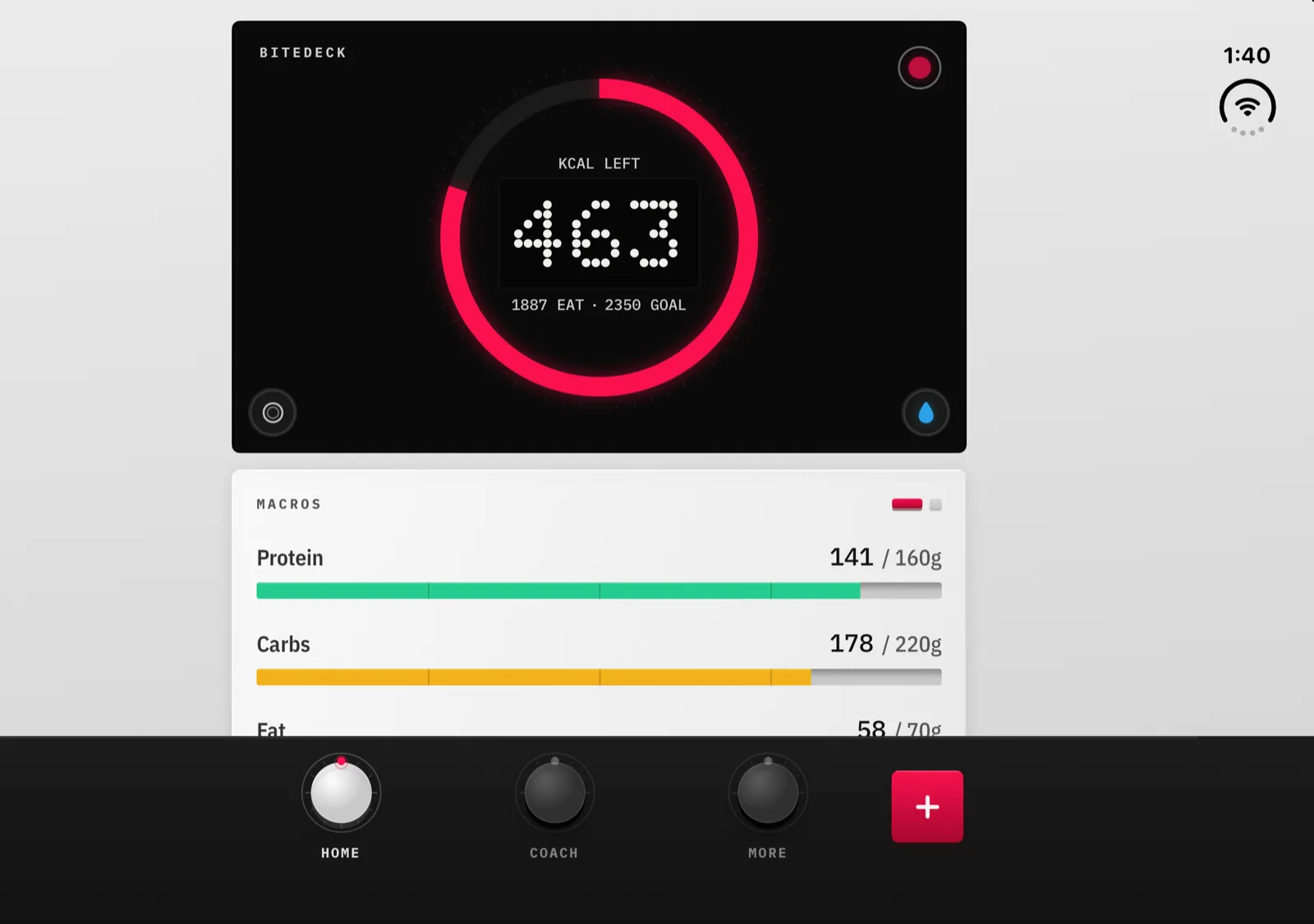
Stretched to the Duo's inner display, a phone layout falls apart: the gauge shrinks to a dot in a black slab, macro bars run 850 points, and the three knobs end up a long way from each other. So BiteDeck doesn't stretch. Every screen sits in a deck column up to 560 points wide, centred on the display, with its background still running edge to edge. That covers Home, Coach, Quick Add, Log Food, Water, the weight forecast, scan results, onboarding and the paywall.
It works with the open Duo held either way. In landscape the deck has wide margins; in portrait they shrink, and the same screens stay readable.
§ 02 · Closed: the outer display
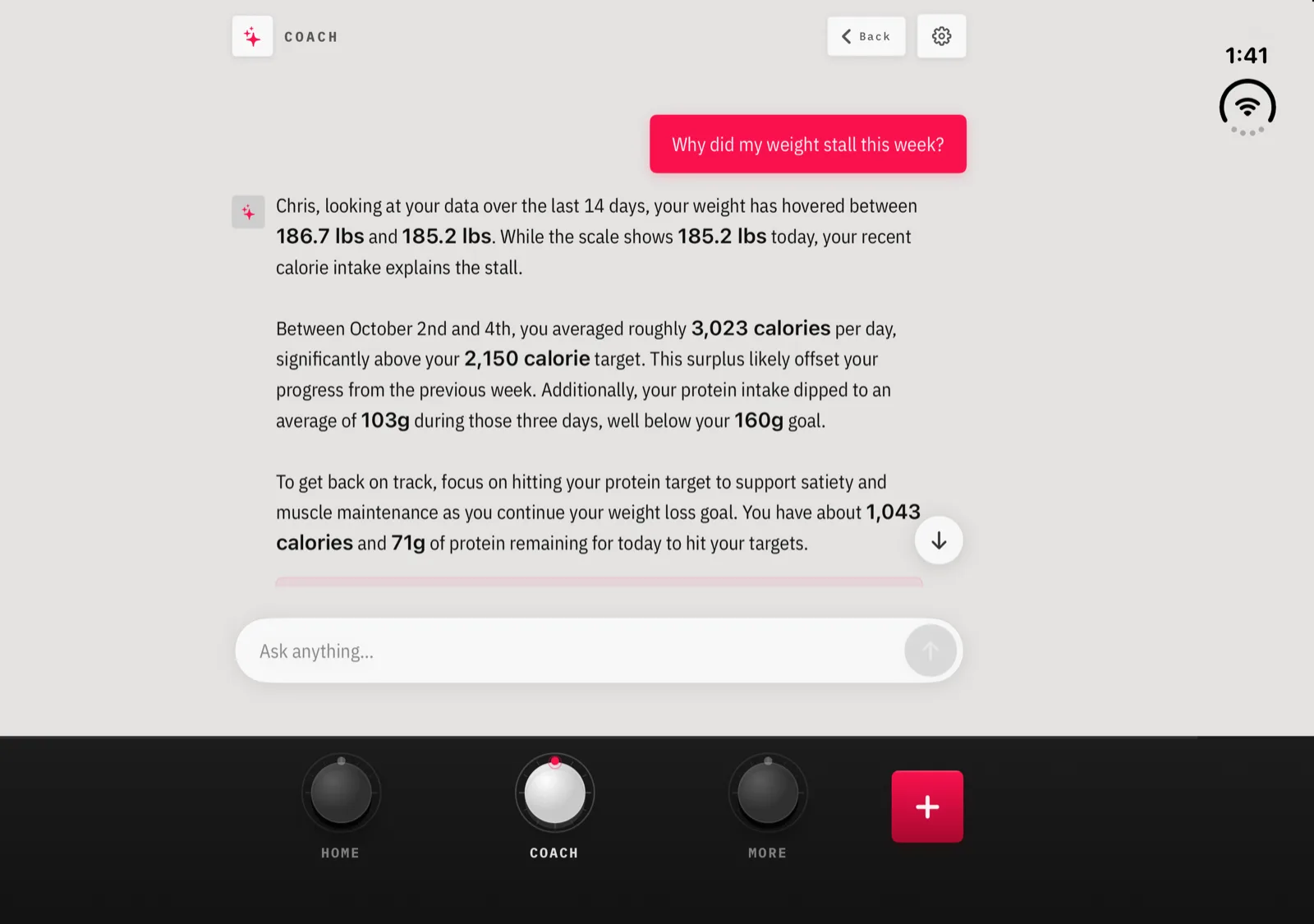
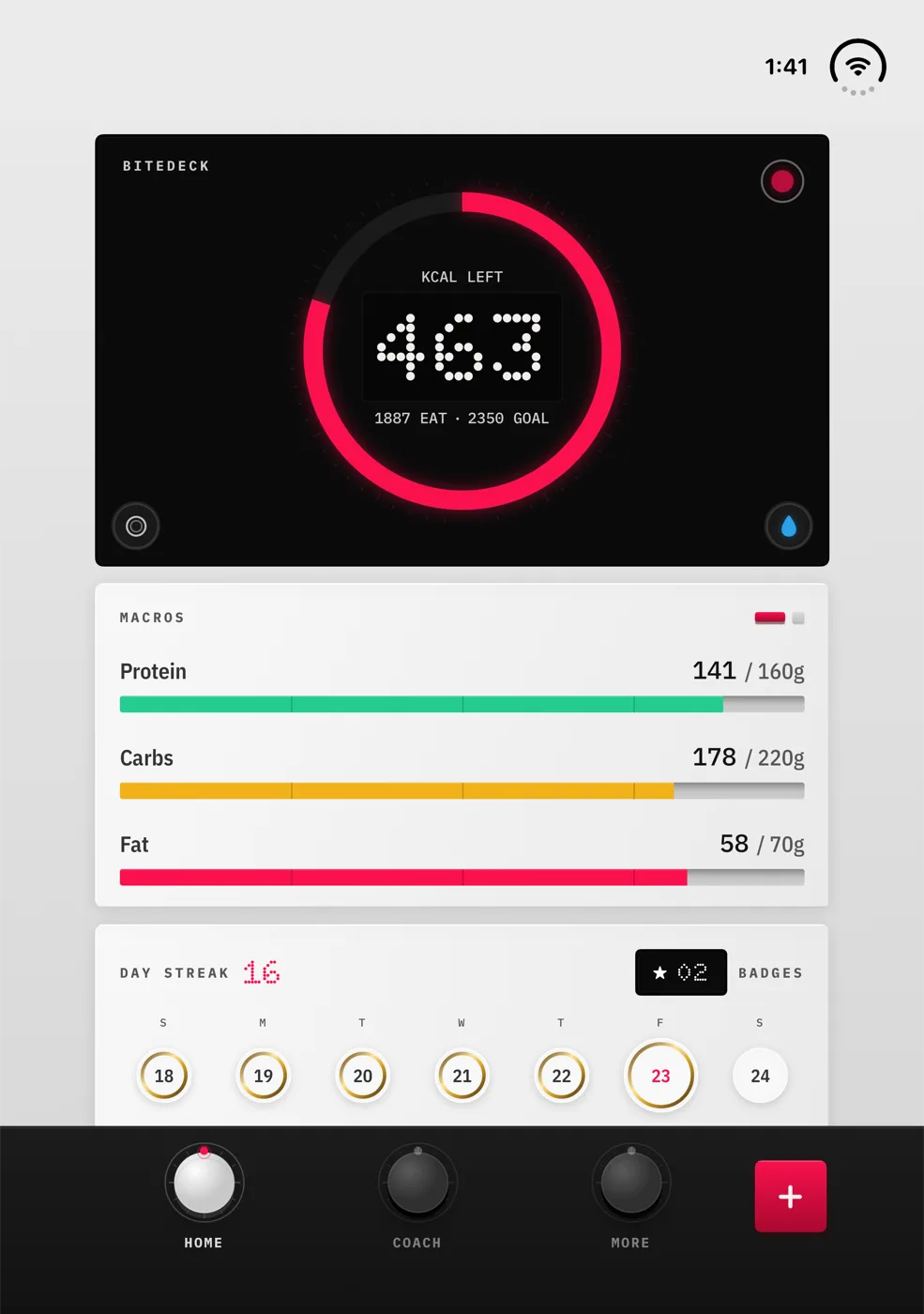
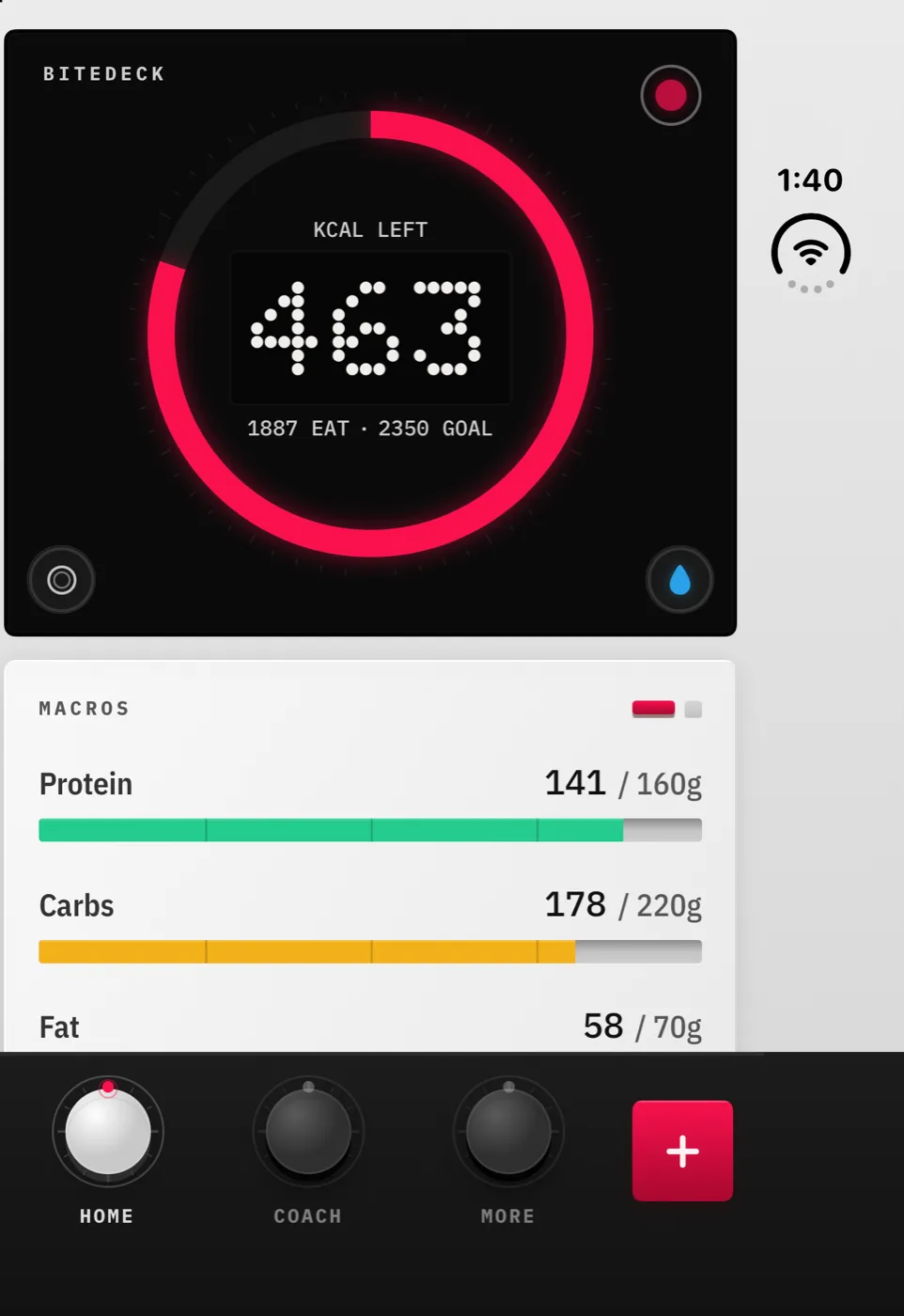
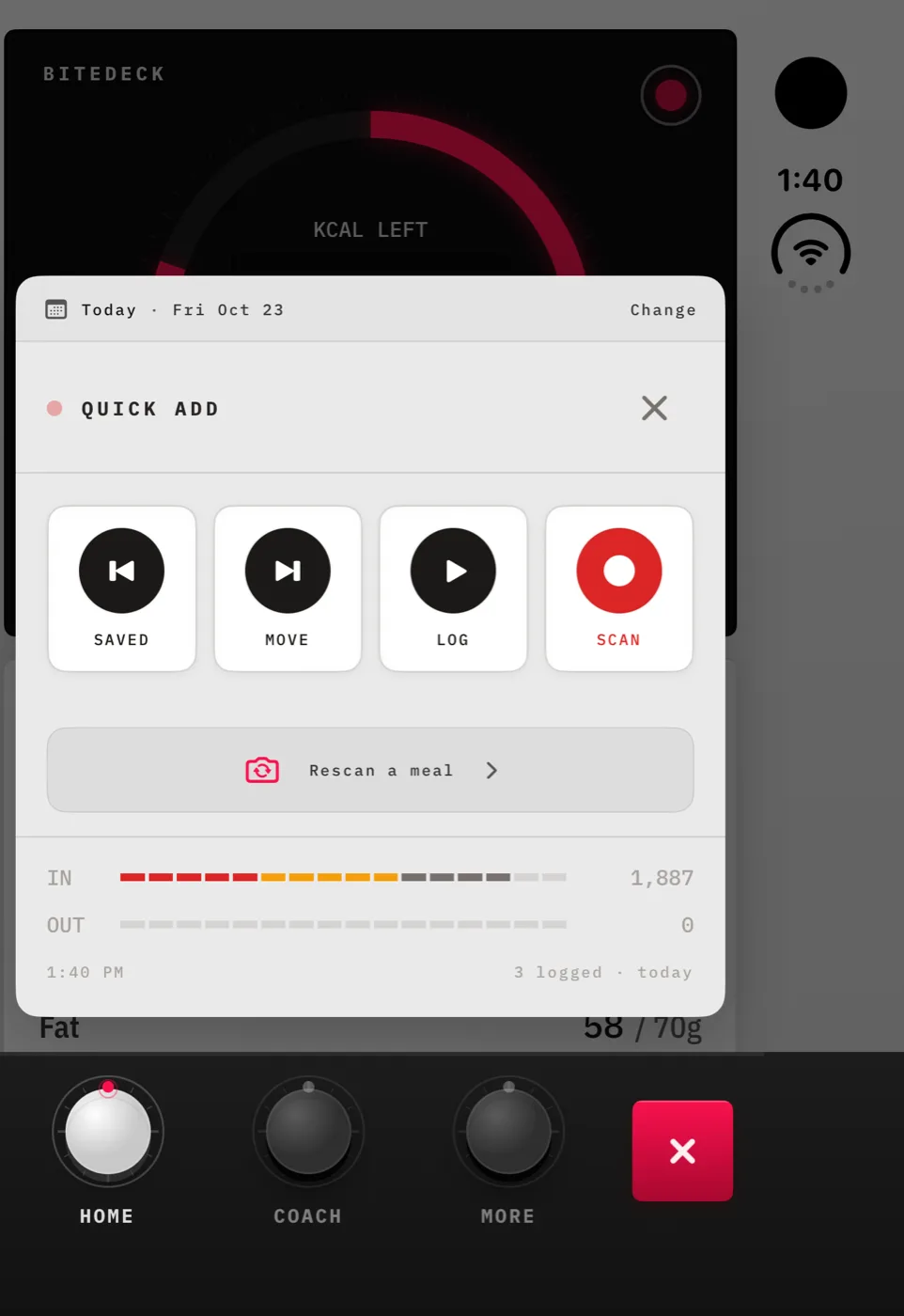
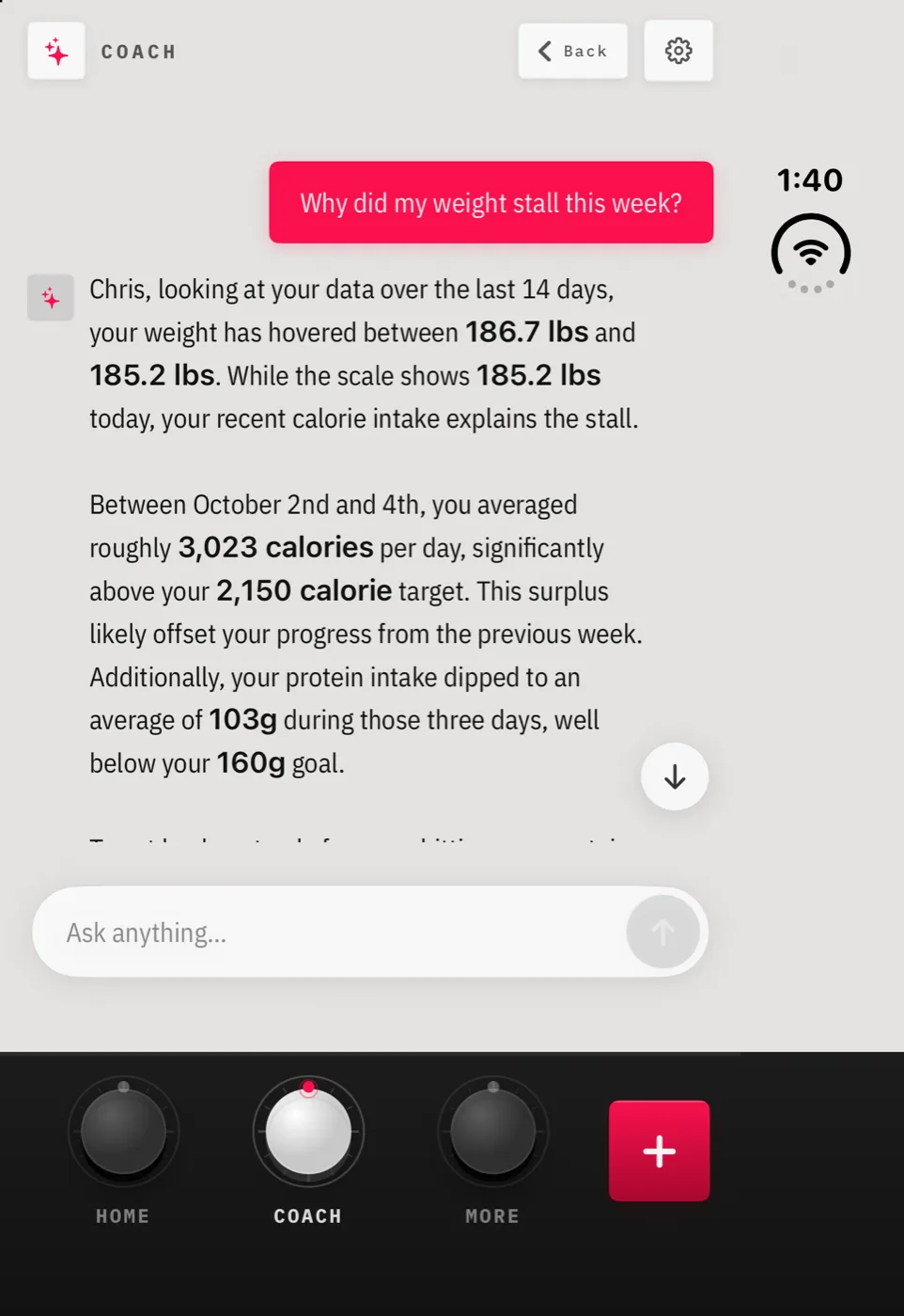
Closed, the Duo is a narrower phone with a status column down one side. BiteDeck runs there in portrait like on any iPhone, and the layout fits the window instead of the full screen. The keycap tab bar stays at the bottom, and side-scrolling rows (the Log Food tabs, the history filters, the photo journey) stop at the status column and scroll, instead of sliding under the clock.
§ 03 · Half open: Quick Add moves off the fold
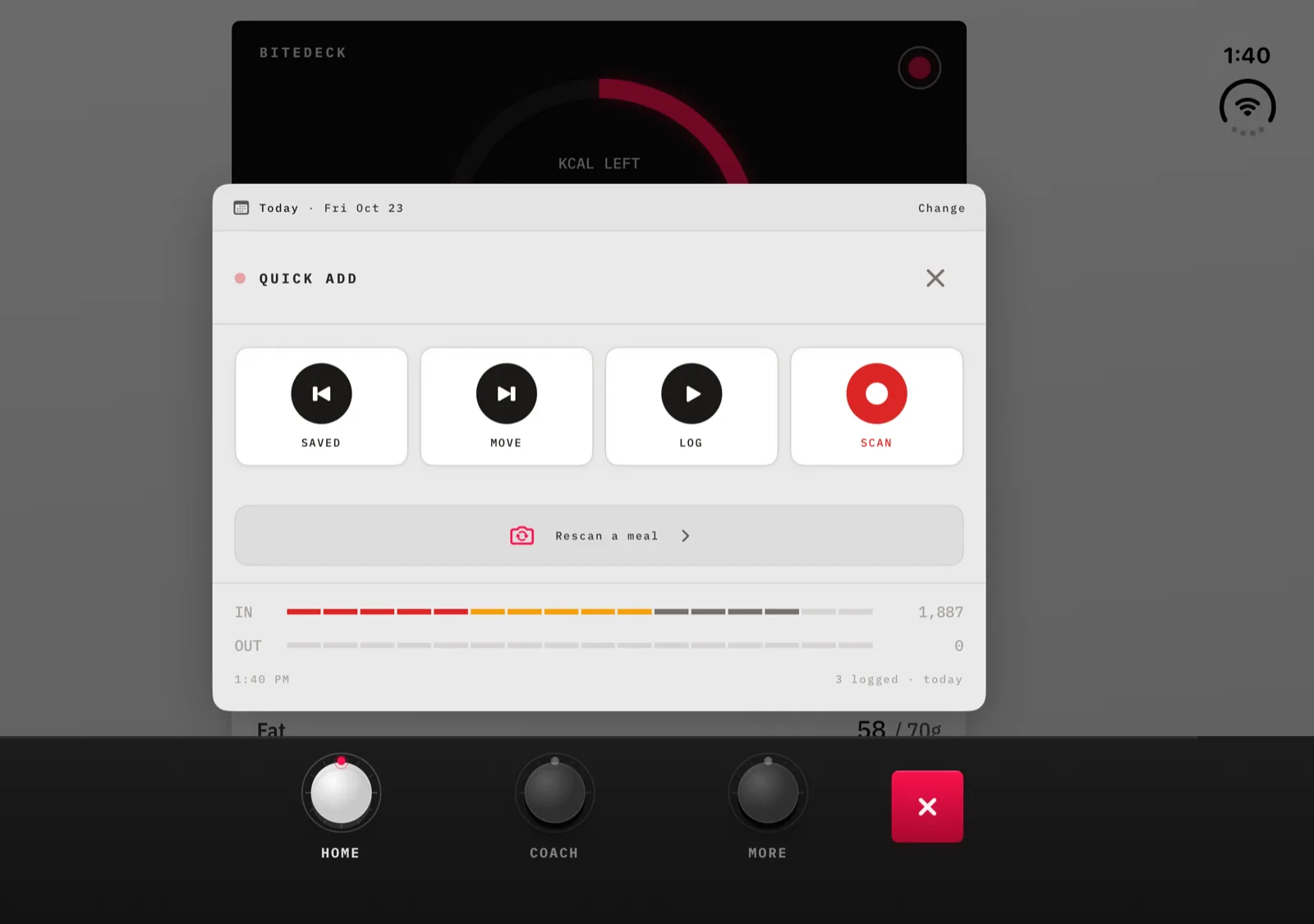
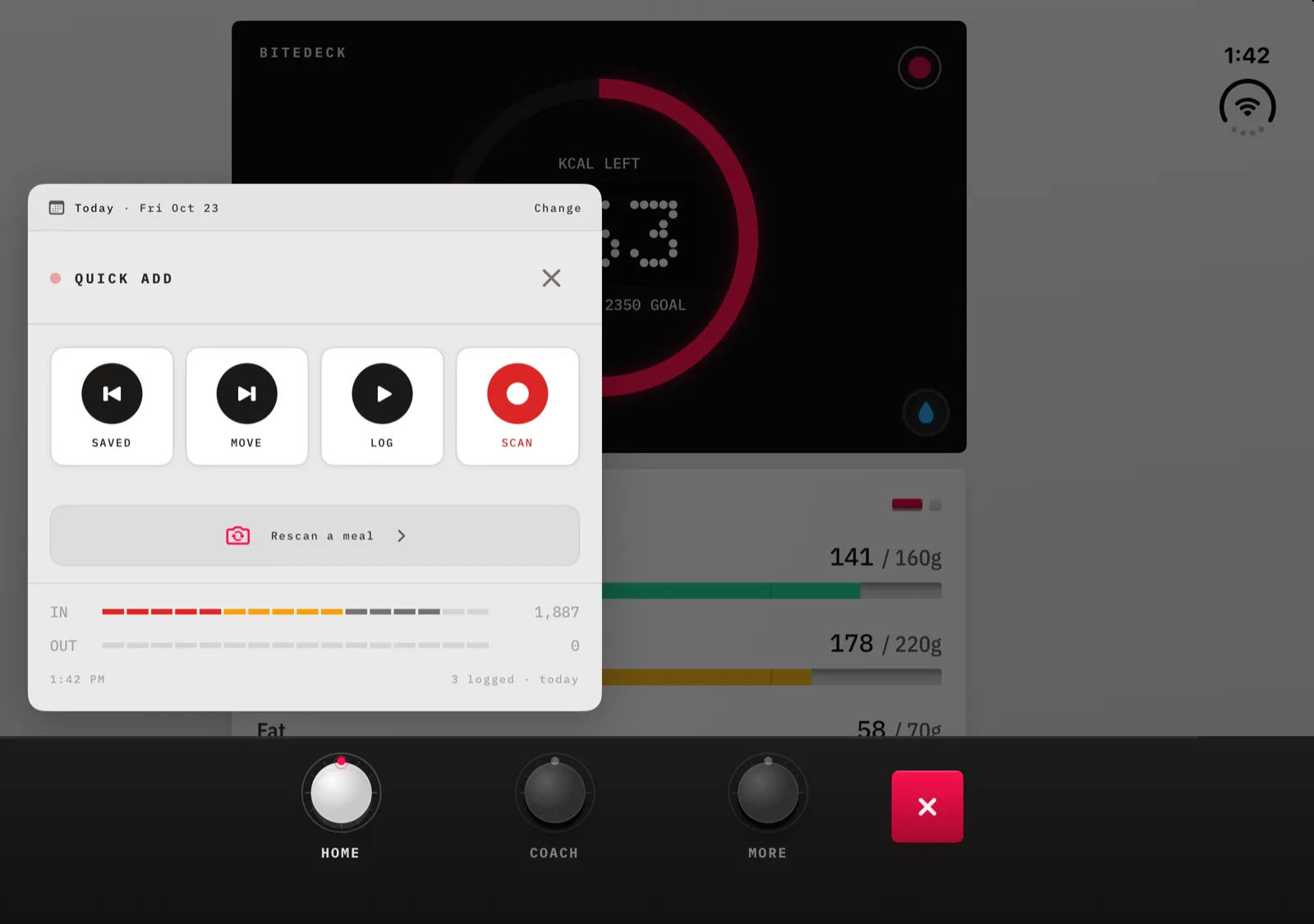
Stand the Duo up half open, like a book, and the fold runs down the middle of the inner display. Quick Add is BiteDeck's own overlay rather than a system sheet, so iOS doesn't move it for you. BiteDeck reads where the fold is and puts the deck in the left pane, with the Rescan button and the in/out meter clear of the crease. Open the Duo flat again and the deck goes back to the middle.
System sheets, like the Fasting timer, already move into one pane on their own. Long scrolling screens such as Home keep scrolling across both halves.
§ 04 · The rest of it
Camera
The scanner, progress photos and Plate Check use the rear camera in every pose. The preview and the photos it takes now follow the display's rotation, so the picture stays upright on the open Duo in landscape.
Same app, same log
It's the same BiteDeck on the App Store and the same subscription. Your log syncs through your own iCloud, so it follows you to the Duo like it would to any new iPhone.
Every other iPhone
The deck column is wider than any other iPhone screen, so on a regular iPhone BiteDeck looks exactly as it did before.
§ 05 · FAQ
Does BiteDeck work on iPhone Duo?
Yes. Version 1.0.26 added iPhone Duo support. It is the same BiteDeck on the App Store, with the same subscription, and on the Duo it lays itself out for both screens: the outer display when the phone is closed and the inner display when it is open.
What changes when I unfold it?
The inner display is far wider than any other iPhone, so BiteDeck keeps each screen in a deck column at phone proportions (up to 560 points wide), centred on the display, instead of stretching the gauge, macro bars and Coach replies from edge to edge. The dark base of the keycap tab bar still runs the full width underneath. This holds with the open Duo in landscape or in portrait.
Does it work when the Duo is closed?
Yes. On the outer display BiteDeck runs in portrait, the way it does on any iPhone. The layout fits the window beside the Duo’s status column, the keycap tab bar stays at the bottom, and side-scrolling rows such as the Log Food tabs stop at the status column instead of sliding under the clock.
What happens if I only half-open it?
In the book pose, Quick Add moves into the left pane so its keys and the in/out meter stay clear of the fold. System sheets such as the Fasting timer move into one pane on their own. Long scrolling screens like Home keep scrolling across both halves.
Does the food scanner work on the inner display?
The scanner, progress photos and Plate Check use the rear camera in every pose. Version 1.0.26 sets the camera preview and captured photos to follow the display’s rotation, so the picture stays upright when the open Duo is held in landscape.
Will my food log carry over to iPhone Duo?
Yes. BiteDeck has no account; your log syncs through your own iCloud. Sign in to the same Apple ID on the Duo, install BiteDeck, and the log comes down the same way it would on any new iPhone.
§ · Get it
One app for the closed Duo, the open Duo, and every other iPhone on iOS 17 or later.
Download on App Store