
Feature 01 · Scan
Point. Shoot. Log.
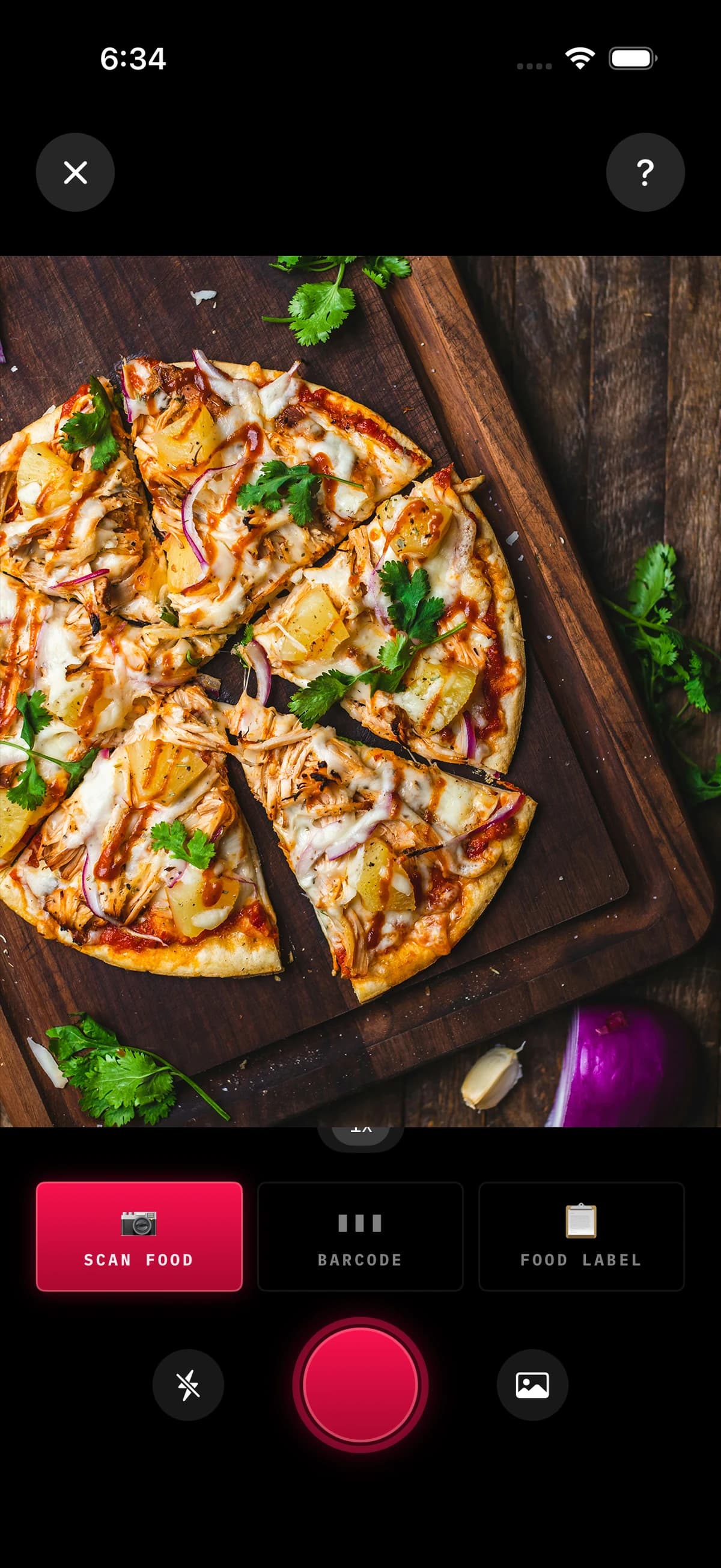
Snap a photo. BiteDeck reads the plate, estimates portions, and hands you editable totals in seconds. Or scan a barcode. Or point at a nutrition label.
Nutrition Tracker · Local-First · No Account Needed
A nutrition tracker for people who actually track. Local-first. No account. Built for accuracy.
§ 02 · What's inside
Every entry path lands in the same logged meal. Every macro syncs the same way. Every chart runs on the same phone.
Feature 01 · Scan
Snap a photo. BiteDeck reads the plate, estimates portions, and hands you editable totals in seconds. Or scan a barcode. Or point at a nutrition label.
Feature 02 · Menus
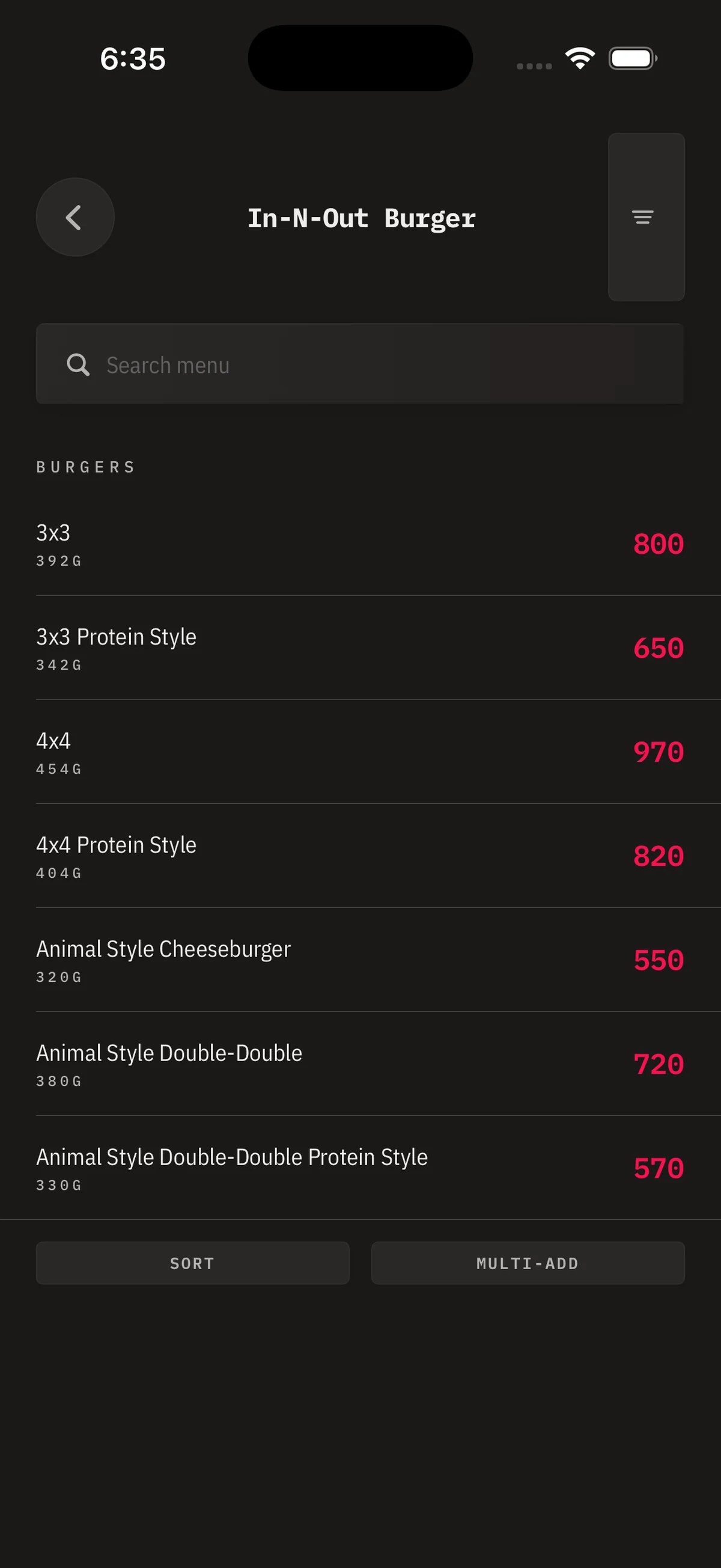
281 restaurant chains with per-item macros, sorted by section, scoped search inside the menu, multi-add. No hunting through generic calorie counters.
Feature 03 · Apple Health
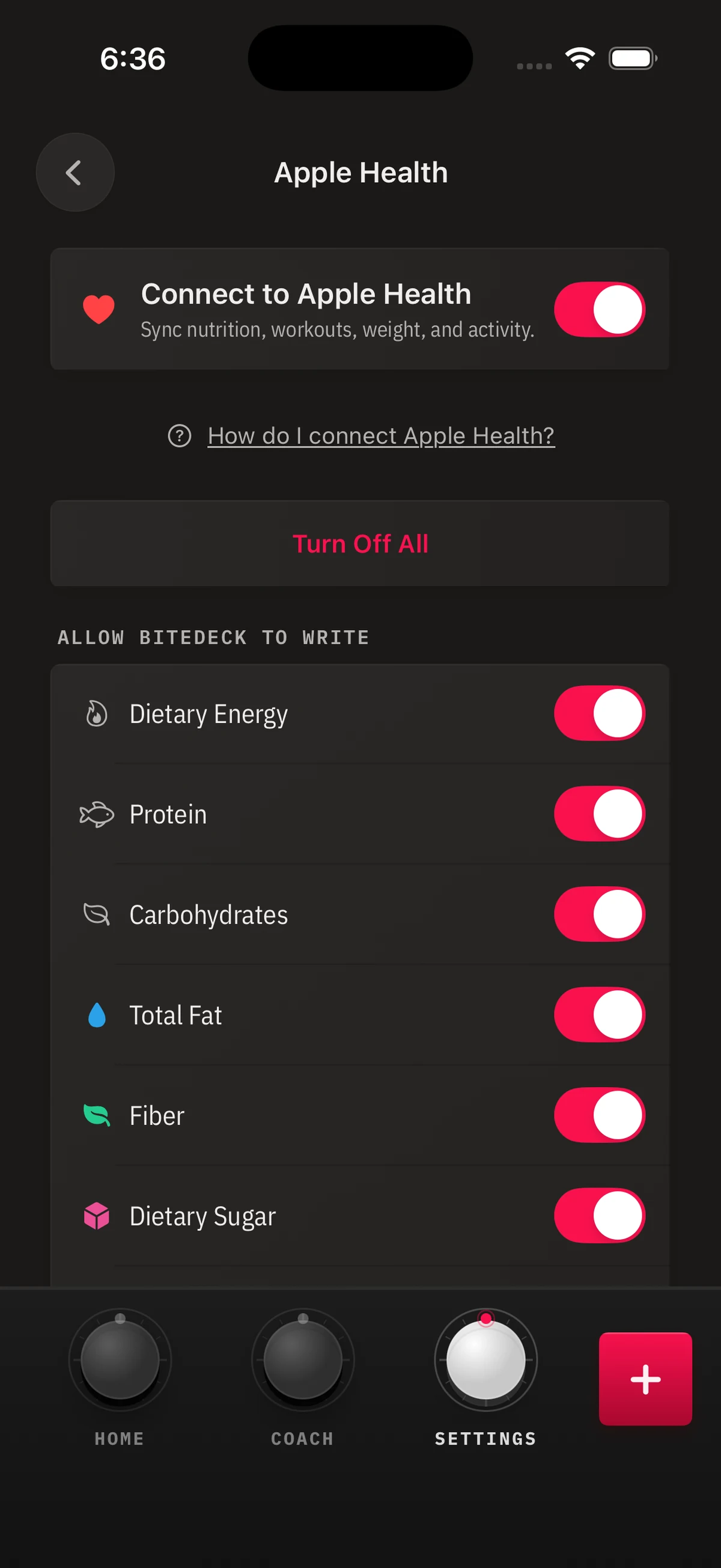
Reads steps, active energy, workouts, weight, body fat. Writes calories, protein, carbs, fat, fiber, sugar, sodium, water, weight, body fat. Every metric has its own toggle. No all-or-nothing.
Feature 04 · Coach
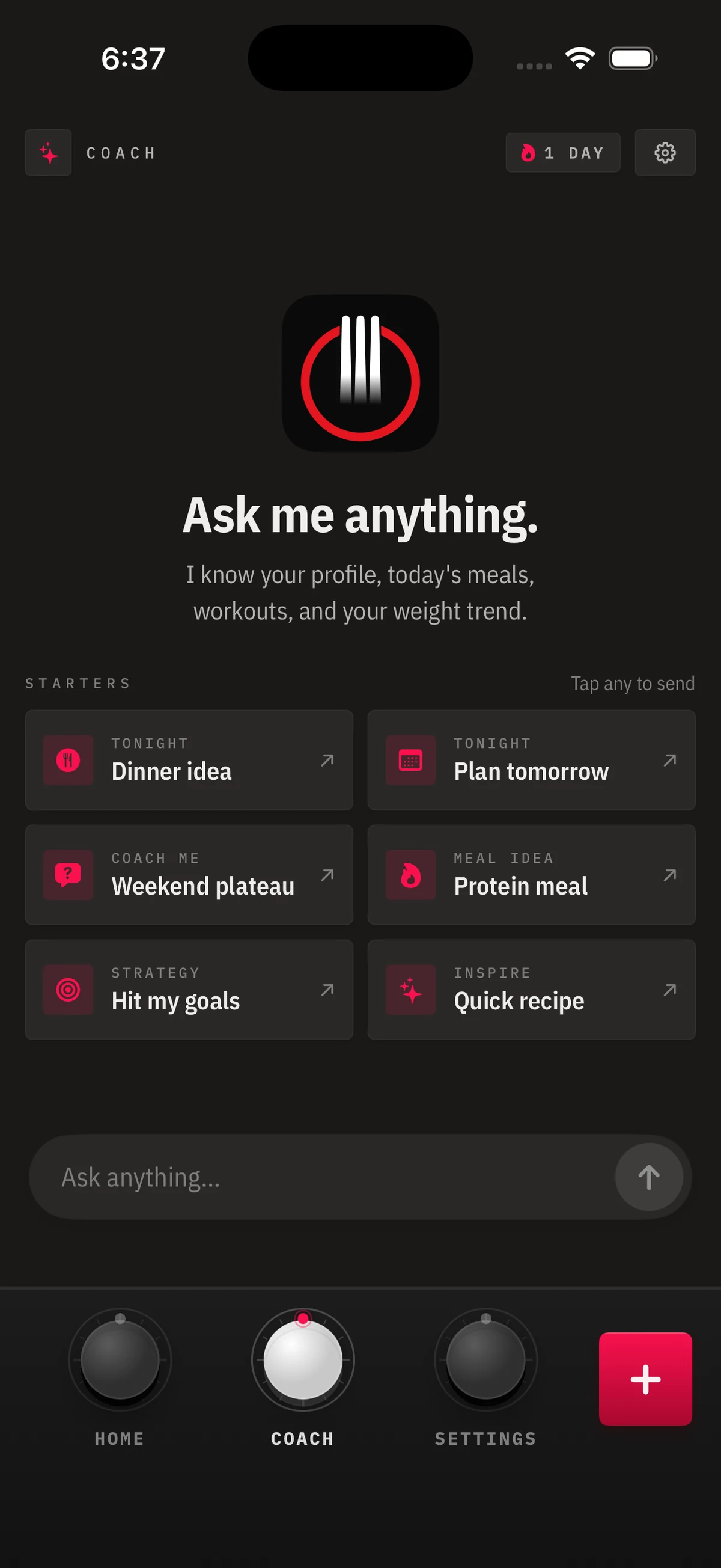
Your Coach gets on-device context about today — not your whole chat history. Delete anytime. No training on your meals. No ads. Ever.
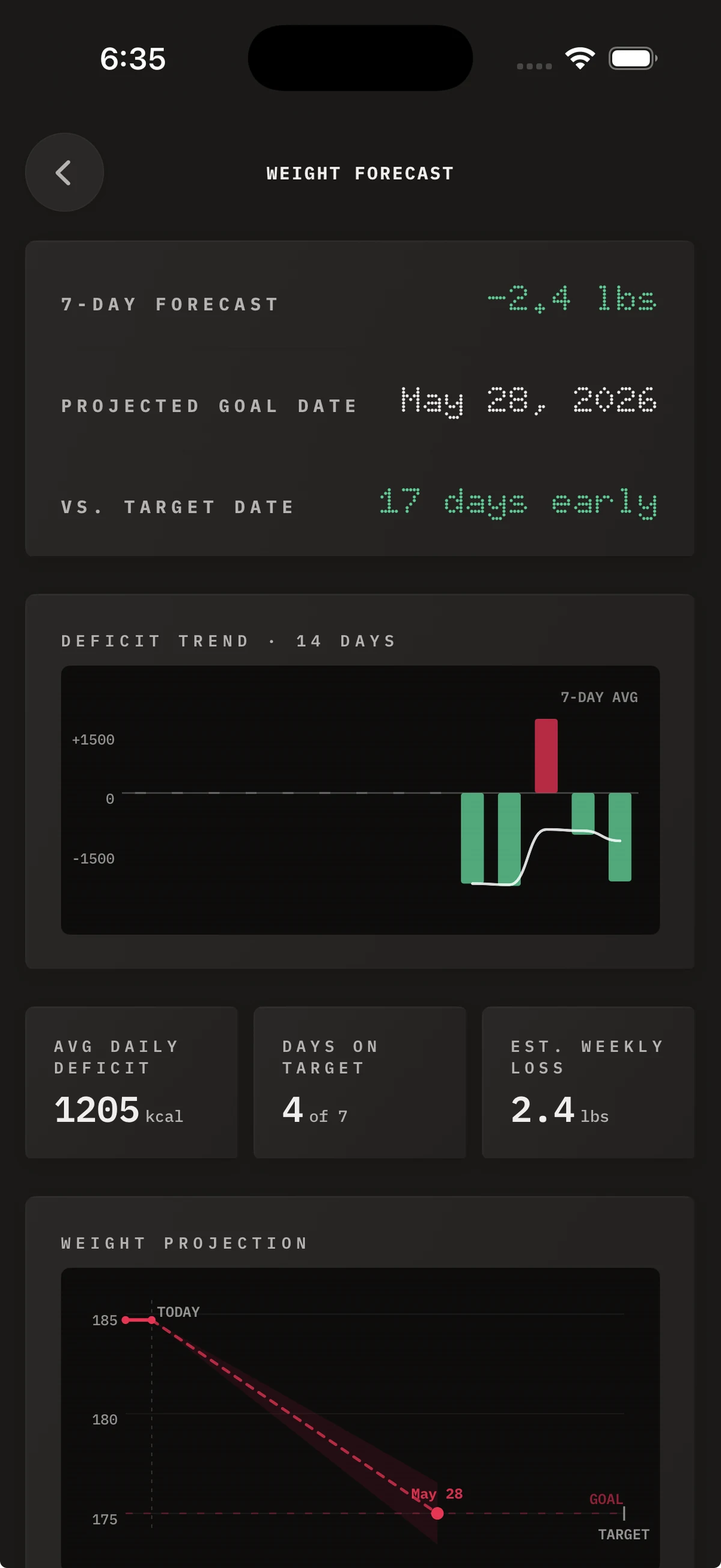
Feature 05 · Forecast
A five-state forecast predicts your goal date, flags reversed trends, and charts your actual deficit against the plan. All math runs locally. Nothing leaves your device.
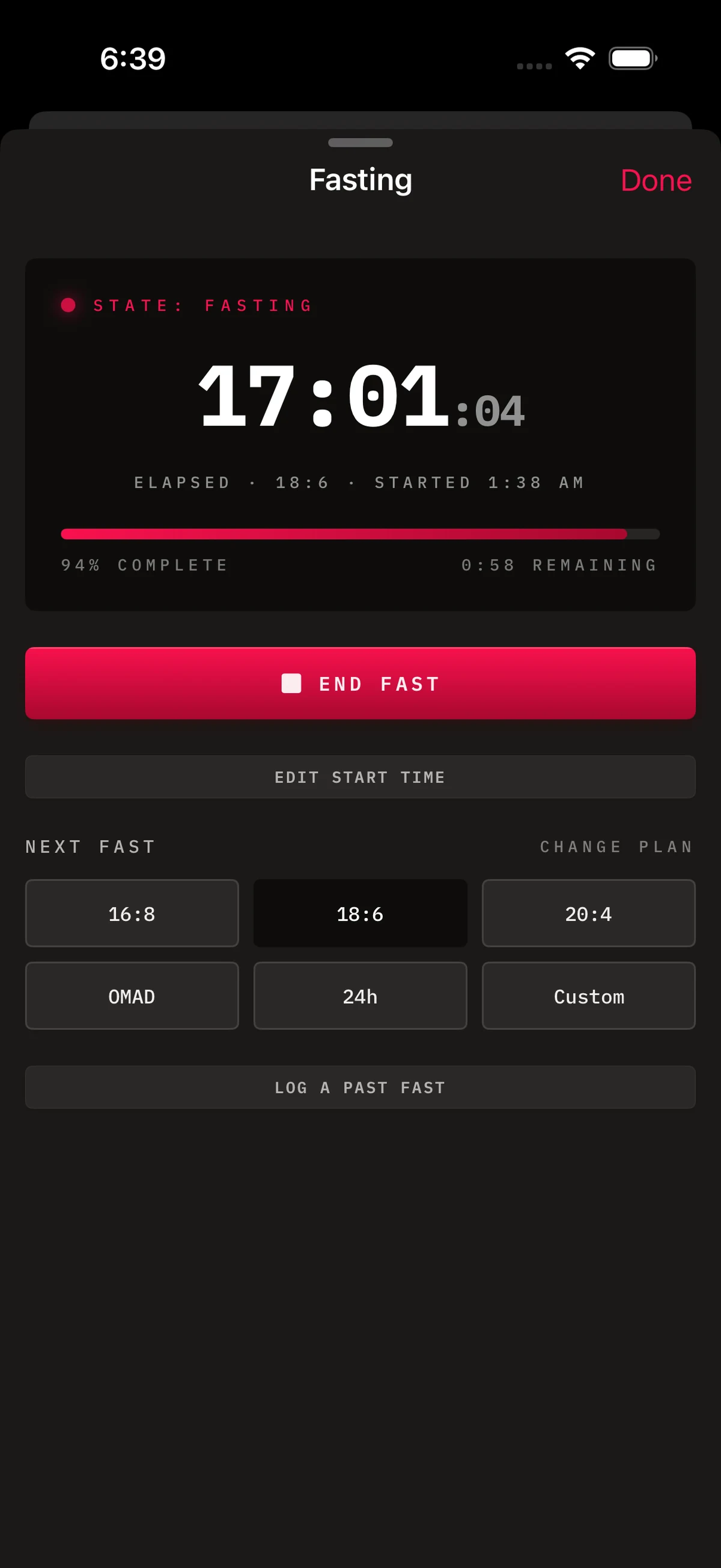
Feature 06 · Fasting
Pick a protocol. Milestones fire at 12 / 16 / 18 / 24h. Completed 20-hour-plus fasts protect their streak day automatically. Built in. Not a separate app.
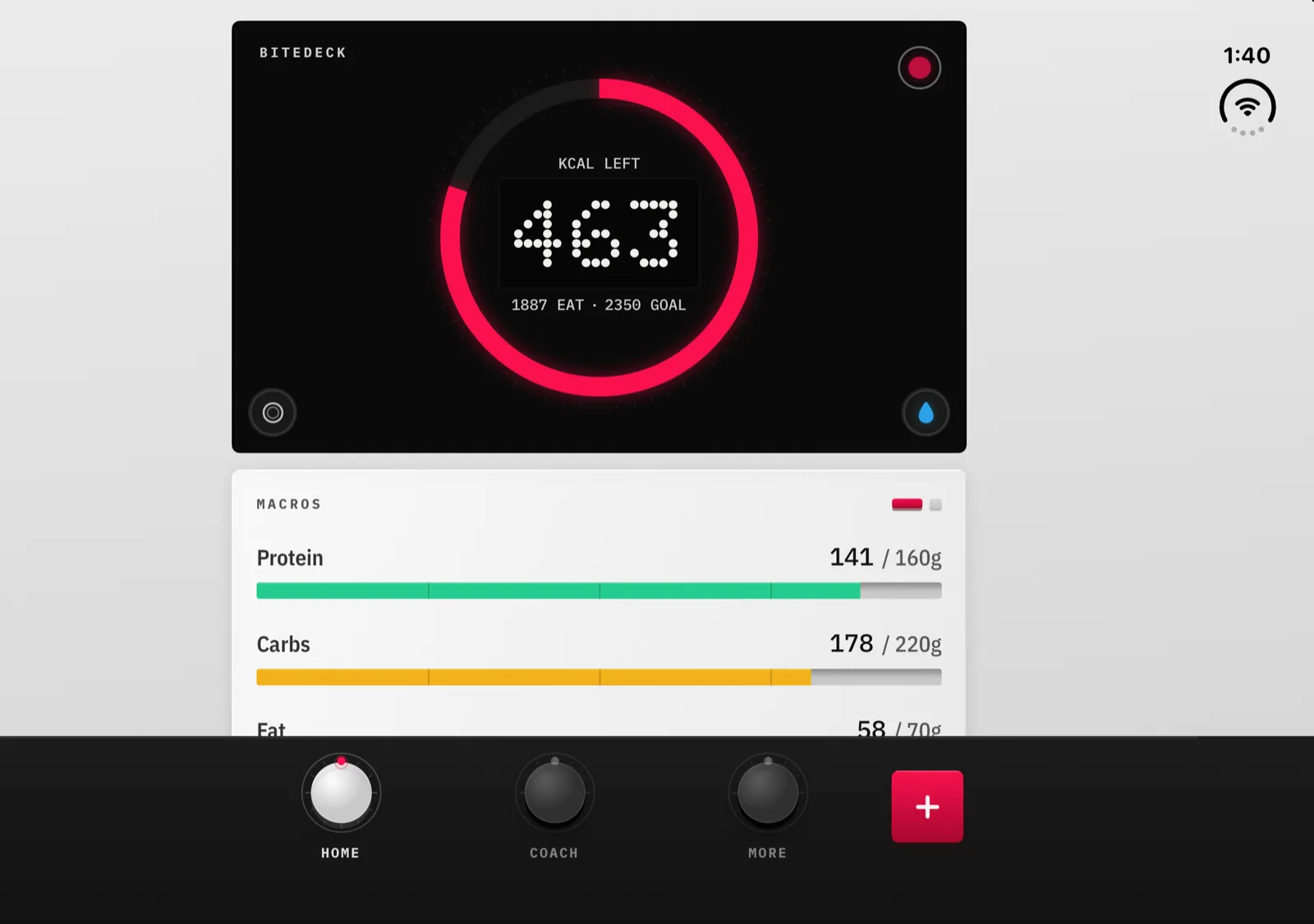
§ · iPhone Duo
Unfold the Duo and BiteDeck keeps its deck at phone proportions in the middle of the inner display instead of stretching it. Close it and the same app fits the outer display. Stand it half open and Quick Add moves into one pane, clear of the fold.
§ 03 · Why BiteDeck
Your data stays with you. Forecast math runs on-device. HealthKit is the only integration — opt-in, per-metric, reversible.
Read the full specOpen the app and start tracking. No signup, no email, no magic link. Your iPhone is the identity.
One subscription ($69.99/yr or $4.99/wk), and the yearly plan opens with a 7-day free trial. No ads at any point — that part is locked.
§ 04 · The look
Every token below came from a vintage instrument panel — segment displays, VU meters, recessed dark glass, mechanical keycaps — translated faithfully to SwiftUI and then to this page.
Palette
Typography
IBM Plex Mono
labels · readouts · buttons
IBM Plex Sans Condensed
body prose, meal names, unit suffixes
DOTO · 0123456789
segment-display numerics
Components
§ 05 · Questions
Yes, bidirectionally. BiteDeck reads five metrics — steps, active energy, workouts, weight, body fat % — and writes ten: calories, protein, carbs, fat, fiber, sugar, sodium, water, weight, and body fat. Every single metric has its own toggle, on top of the iOS permission. Turn any one off without disconnecting everything.
Your logs live in SwiftData on your device. If you have iCloud device backup on at the iOS level, BiteDeck's data is included automatically — no separate cloud sync to a BiteDeck server. Export your full meal and weight history as CSV, or today's plan and intake as a one-page PDF, anytime.
You snap a photo. It goes through BiteDeck's own proxy to Google Gemini Vision for recognition, then the item list comes straight back to your phone. BiteDeck doesn't retain your images or train on them. If you'd rather not scan, every meal can be logged by search, barcode, nutrition-label OCR, or freeform entry.
BiteDeck requires a subscription — $69.99/year or $4.99/week. What stays the same either way: no ads, no account, and no analytics on what you eat.
Any iPhone on iOS 17 or later, in portrait. That includes iPhone Duo: since version 1.0.26 BiteDeck fits the closed outer display and keeps a phone-sized deck on the open inner display, held either way. No iPad layout, no watchOS app, no Android. The entire design leans on iOS-specific primitives (HealthKit, SwiftUI, SwiftData) — a port would be a different product.
Four ways: manual entry, the US Navy method (neck/waist/hip measurements with cm↔in toggle), the Deurenberg formula from BMI + age + sex, or imported from Apple Health. Every saved entry feeds both the Home Composition page and the Katch-McArdle BMR calculation that drives your calorie target.
A five-state forecast engine (locked / unlocked / goal-reached / maintaining / reversed) runs on your phone. It uses a 14-day lookback and a 7-day rolling average, adjusting for your actual deficit against maintenance TDEE. It never talks to a server — the whole thing is on-device math.
Yes. Fasts of 20 hours or longer protect their end-day as a logged day automatically — you can do a fast-only day and keep your streak. Milestones fire at 12, 16, 18, and 24 hours. Protocols: 16:8, 18:6, 20:4, OMAD, or custom 1–72 hours.
Type a brand name — "In-N-Out," "Chick-fil-A," "Chipotle" — and a dedicated menu card surfaces with every item sorted by section (burgers, shakes, fries, sides). Scoped search inside the menu, sort by section/name/calories, filter by section, multi-add. 281 chains in the database.
Because the whole design leans on iOS-specific primitives — HealthKit, SwiftUI, SwiftData, the on-device Gemini pipeline, Doto at fixed sizes, skeuomorphic modifiers that only exist in Apple frameworks. A port would be a different product. Not planned.
§ 06 · Get it
Open the app. Start tracking. Keep your data.
iPhone · iOS 17+ · 7-day free trial